


Leaderboard
-

Ilyes
CEO2Points130Posts

Popular Content
Showing content with the highest reputation since 02/14/2025 in Files
-
1 point
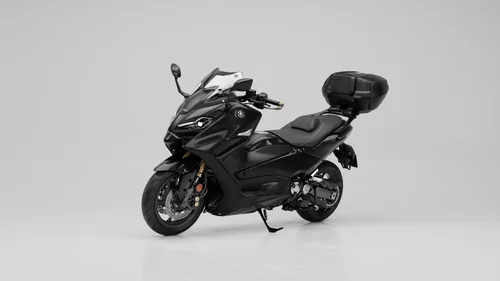 Voici un modèle haute qualité d'un T-MAX 560 Tech 2023 ( avec accessoires ) ! Prêt à rendre avec Blender (Cycles) ! Liste des accessoires : Visière origine + visière haute Visière sport Top caisse GIVI Protège poignet Pot Akrapovic Pot d'origine Parties du corps Il reste plus qu'à télécharger ce modèle et laisser parler votre créativité ! Prêt à l'emploi ! N'hésitez pas à me contacter pour tout support !50.00 EUR1 point
 -
1 point
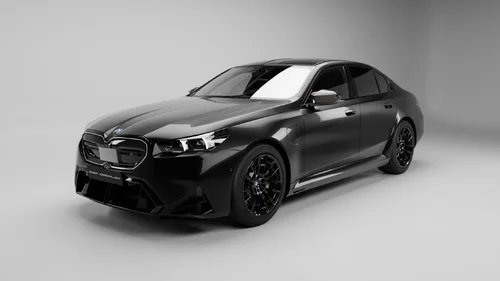 Voici un modèle haute qualité d'une BMW M5 G90 2024 ! Prêt à rendre avec Blender (Cycles) ! Il reste plus qu'à télécharger ce modèle et laisser parler votre créativité ! Prêt à l'emploi ! N'hésitez pas à me contacter pour tout support !15.00 EUR1 point